TACTICAL GUIDE / November 7 beginner guide
Evolve
Use the Evolve button on the left side of the screen and check its current requirement before confirming. Evolving grants a permanent Venom income multiplier, but resets Form Progression and your level to 1. Plan to train and work back through stages afterward.
Updated 2026-11-07 · November 7 beginner guide
Your route
Open the left-side Evolve button
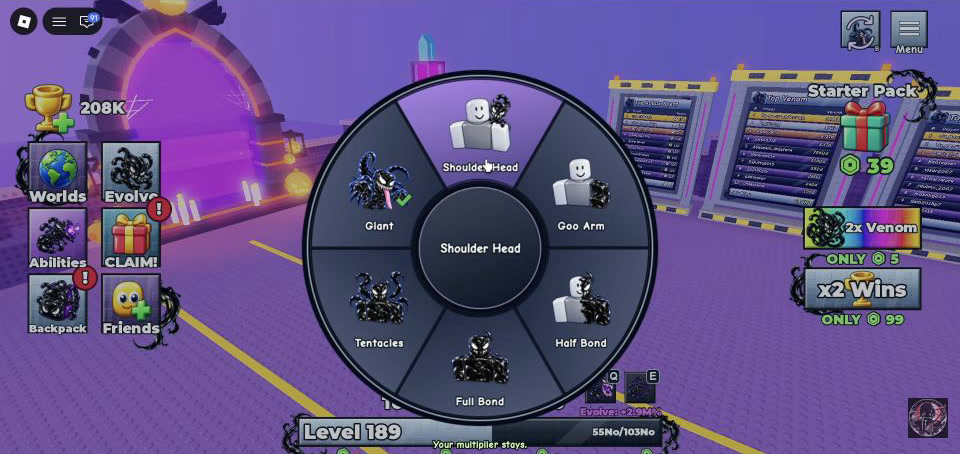
Find Evolve in the left-side menu and open it. Read the next evolution’s requirement in your current game. This guide does not supply a fixed cost table because those requirements have not been verified for every evolution.
 Open full-size image ↗
Evolve is the left-side button beside Worlds in this Update 2 HUD. Shin · 1:20, October 26. Make the reset decision before confirming
The lasting benefit is a permanent Venom income multiplier. The reset described by the November 7 beginner guide affects Form Progression and returns your level to 1. If your immediate goal is another difficult attempt with the current level, account for that loss of progression first.
Confirm only when ready to rebuild
If you meet the current requirement and want the income multiplier, confirm the evolution in that panel. Afterward, check the new evolution or multiplier information and the reset level/Form Progression to understand what changed.
Return to training, then a stable clear
Rebuild through Sound Saves training and stages you can finish. Do not assume that your pre-reset stage is immediately repeatable. The source establishes the income multiplier and the two resets; it does not establish a complete keep-or-lose list for every inventory currency and item.
What success looks like
You have advanced the evolution/income multiplier and can see the level and Form Progression restart. Training then rebuilds the progression needed for higher stages.
If you get stuck
If Evolve is unavailable, read its displayed requirement and obtain that resource through the relevant route; do not guess a cost from an old screenshot. If an evolution leaves harder stages out of reach, return to training and a stable stage instead of expecting the old level to remain.
Prepare your next attempt
Sources & footage
- Pavle Ninkovic / Pro Game Guides — Beginner’s Guide, updated November 7, 2026 ↗
Sound Saves, stage Wins and claim pads, and Evolve reset behavior. Temporary codes, free rewards and paid upgrades are not used as requirements here.
- Shin — visible left-side Evolve button, October 26, 2026 ↗
Screenshots show the recorded version. Game updates can change prompts, event access and values. This is an independent guide, not an official Roblox or developer site.